Operately v1.7
Docs & Files, Draft Check-ins, Task Reminders, Work Map Timeline, Keyboard Shortcuts, and more
Operately v1.7 is here. This release brings five major features: Docs & Files tabs on goals and projects for keeping supporting materials close to the work, draft check-ins so champions can save progress updates before publishing, configurable task reminders that notify assignees at the right time, a Work Map Timeline view for schedule-oriented planning, and keyboard shortcuts for faster navigation across the app. Project links and resources that previously lived on the Overview tab now live on Docs & Files.
Docs & Files on Projects and Goals: Keep supporting materials where the work lives#
Projects and goals now have a dedicated Docs & Files tab. Instead of a simple list of links at the bottom of the project Overview, you can organize documents, folders, file uploads, and external links in one place — with activity tracked in the project or goal feed.
On projects, existing key resources were migrated automatically. Nothing was lost; they simply moved to the new tab.
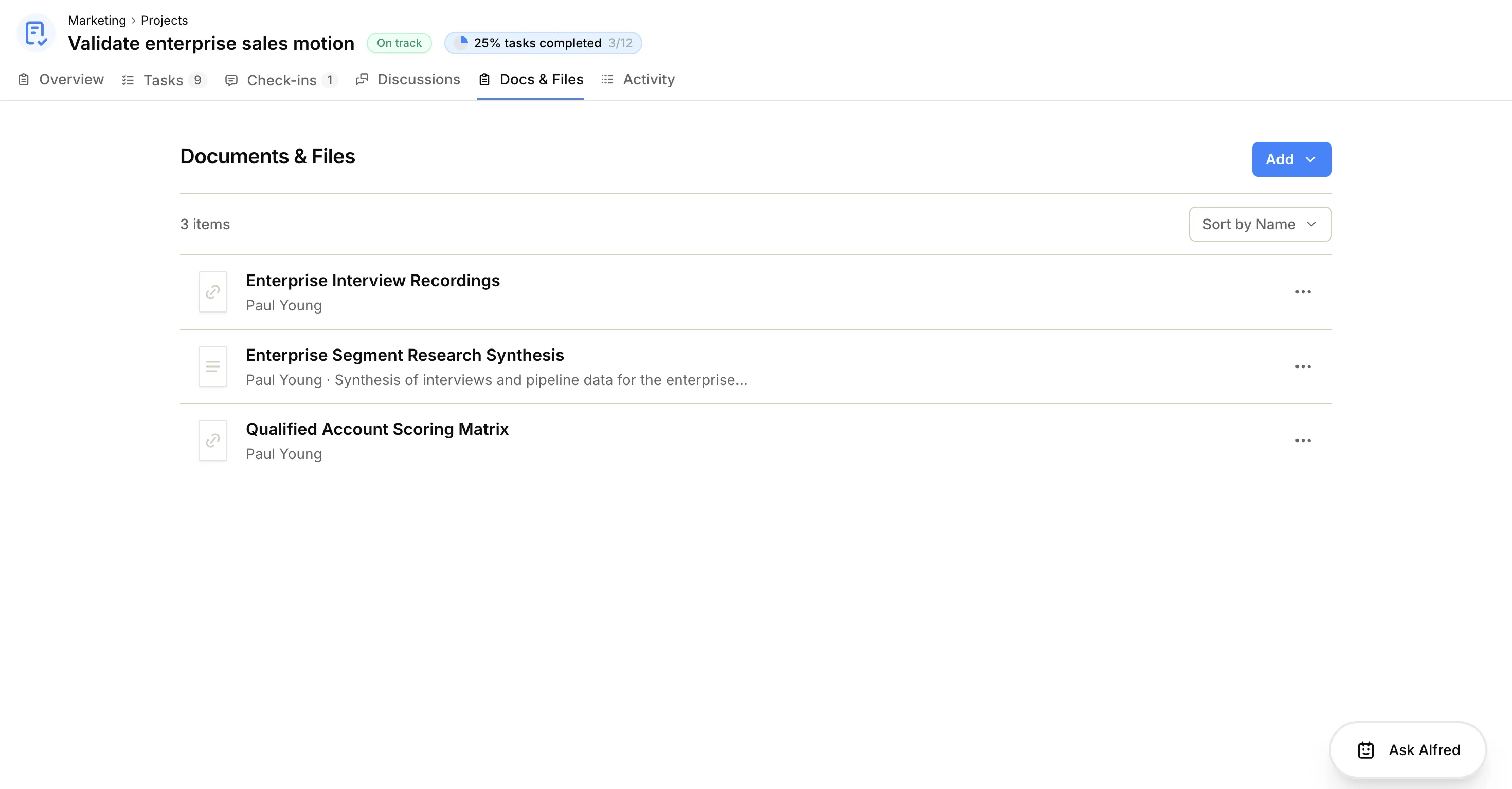
See the guides for docs and files on a project and docs and files on a goal.
Check-ins: Save drafts and write with context#
This release improves how champions write check-ins on goals and projects.
If your update isn’t ready to share, use Save as draft instead of submitting. Drafts are visible only to you until you publish. Each goal or project can have one draft check-in at a time — reopen it from the Check-ins tab to edit, discard, or submit when you’re ready.
While you draft the next update, the latest published check-in appears inline above the editor. You can read what you wrote last time without leaving the page or opening another tab.
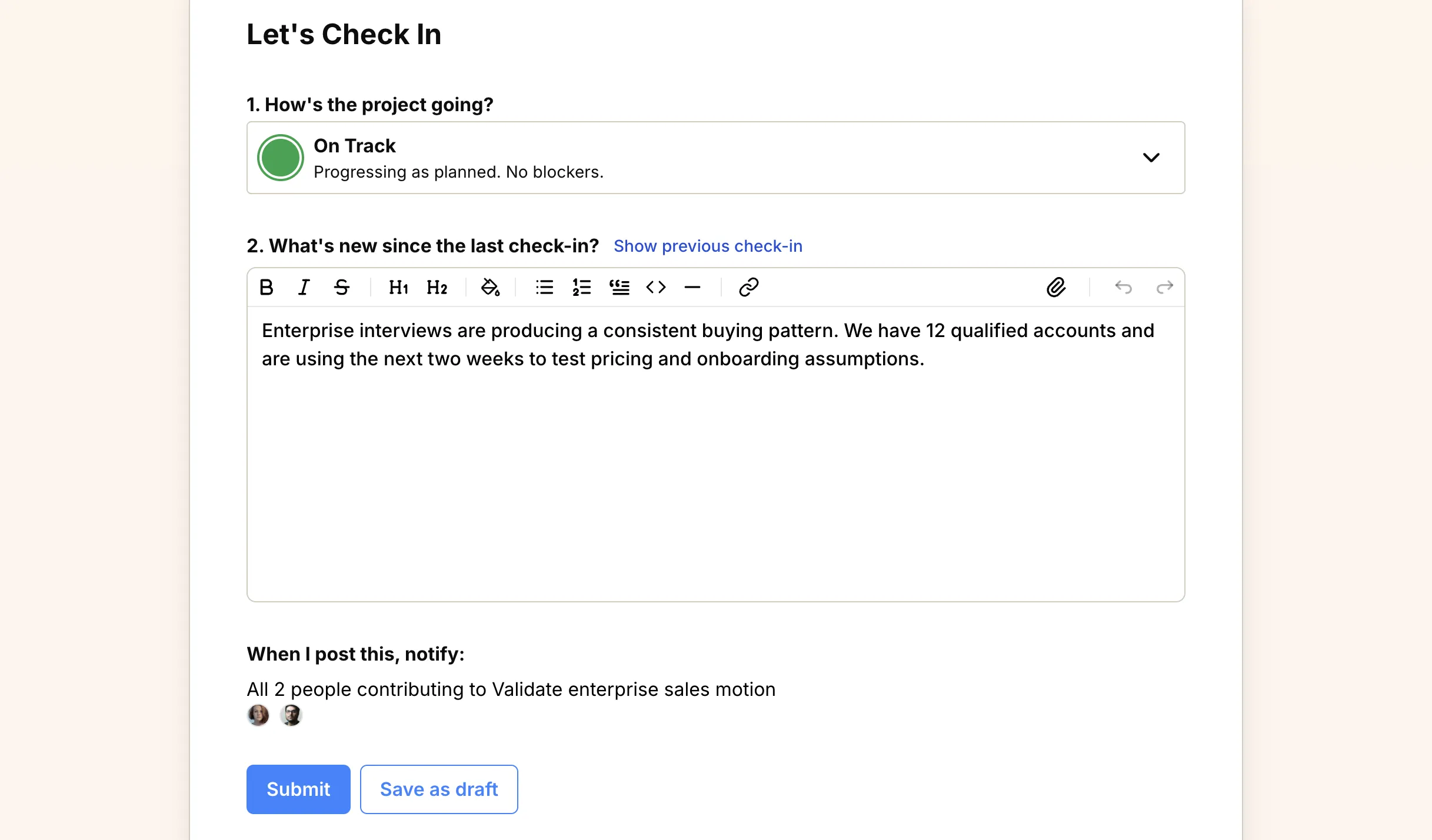
See check-in on a goal and check-in on a project for the full workflow.
Task Reminders: Notify assignees at the right time#
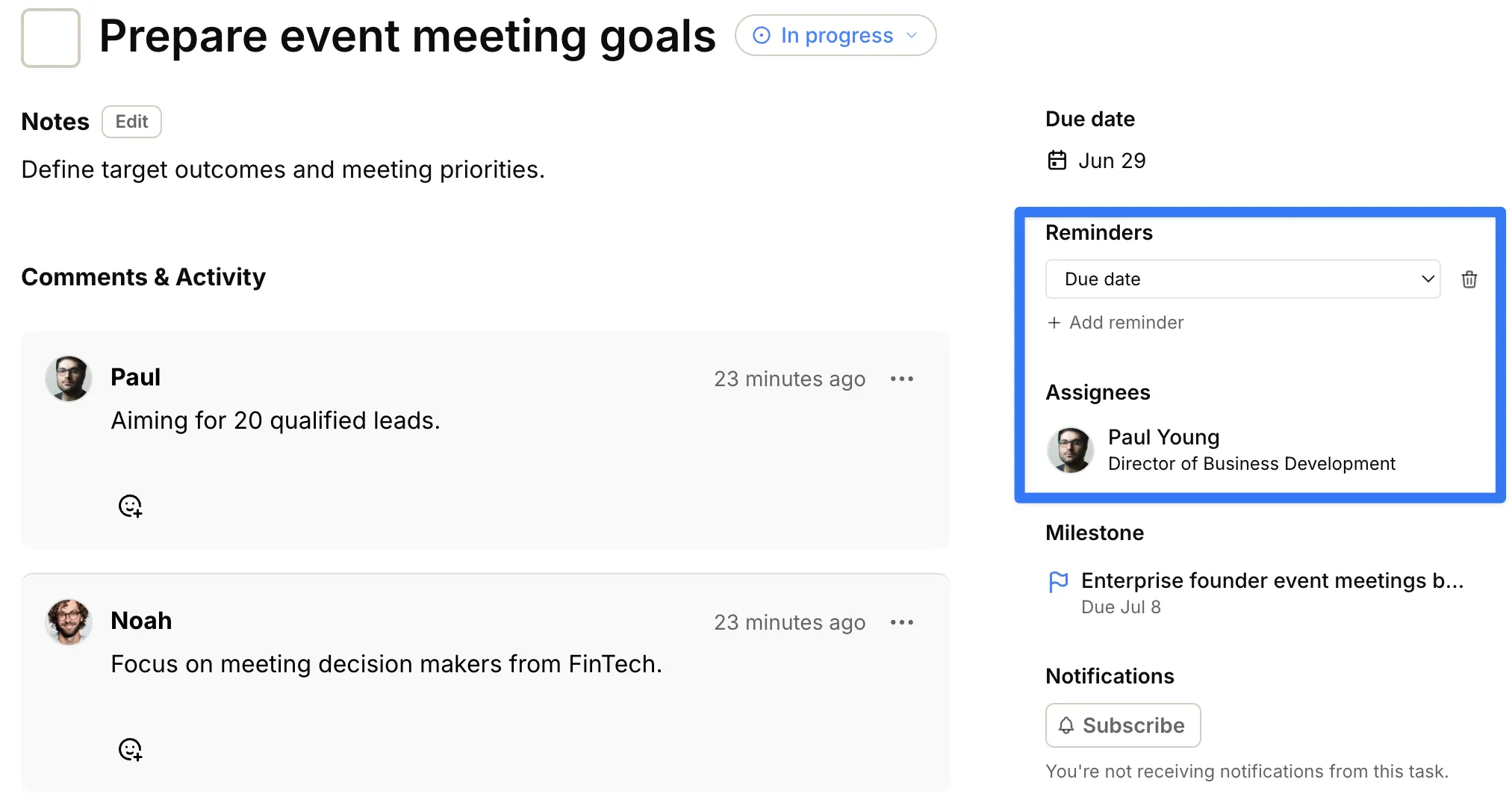
Tasks now support configurable reminders. From the task sidebar, assignees can be reminded before the due date, on the due date, when a task is overdue, or on a specific date you choose.
Reminders are available for both project and space tasks wherever you open them: kanban boards, project task lists and milestone lists. The task needs at least one assignee before reminder controls appear. See Configure task reminders for details.
Work Map Timeline: See projects on a schedule#
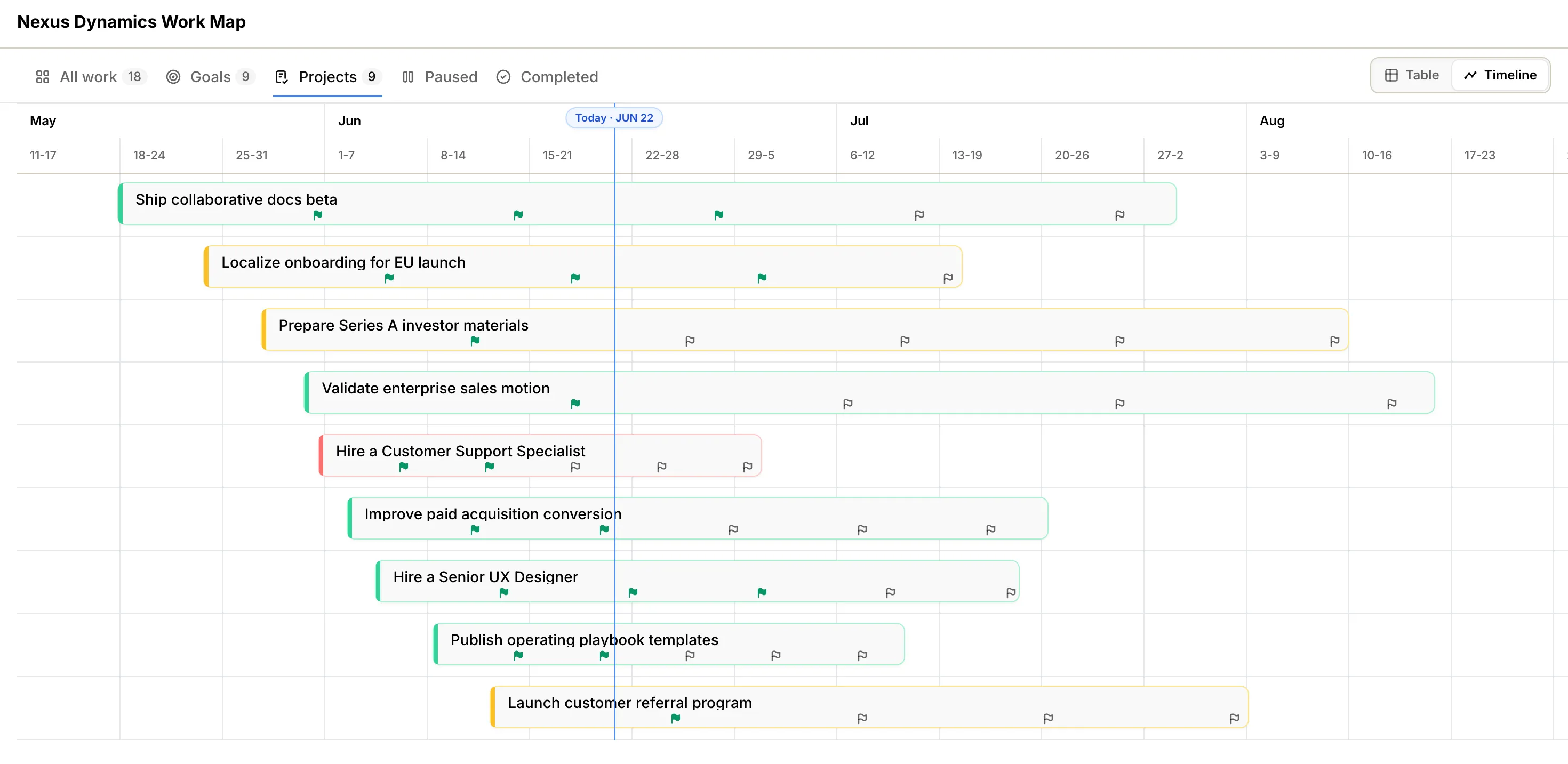
Company and Space Work Maps now offer a Timeline view on the projects tab, alongside the familiar Table list. Switch Work map view to place dated projects on a timeline — useful for quarterly planning, cross-team reviews, and spotting schedule conflicts at a glance.
Table remains the default, with status, progress, and next steps in a compact list. Timeline is there when you need to think in dates rather than rows. See Work Maps.
Keyboard Shortcuts: Move faster through search and tasks#
Operately now has a keyboard shortcuts cheatsheet. Press ? from anywhere in the app, or open Help → Keyboard shortcuts, to see the full list.
In task lists and boards that support keyboard selection, use j and k to move between tasks, Return to open the selected task, and a, s, or d to quickly edit assignees, status, or due date. See Keyboard shortcuts and Global Search.
Additional Features#
This release also includes several improvements across the product:
Multiple task assignees — Assign more than one person to a task. The CLI supports multiple assignees too.
12-hour and 24-hour time format — Choose how times are displayed in your profile, separate from your timezone setting.
Subscriptions for space-level tasks — Subscribe to space tasks the same way you follow project and milestone work.
Task slide-in from more views — Open tasks from project and milestone lists in the slide-in view, and keep your selection when you close it.
Admin can delete feed items — Remove incorrect or outdated activity entries from feeds.
Document modified date shown — See when a document was last updated at a glance.
Sign up for Operately#
Ready to experience Operately v1.7? Sign up for a free account and see how these new features can transform how your team works together.
Self-host in 5 minutes#
Prefer to use your own infrastructure? Follow our self-hosted installation guide to get Operately running on your servers in minutes.
If you are already running the self-hosted version, follow the update guide to upgrade to the latest release.
Join the Operately community#
Operately is open source and available under the Apache 2.0 license. Join our growing community of users and contributors:
- Star the repository on GitHub to show your support
- Join our Discord server to connect with the team and community
- Contribute by submitting bug reports, feature requests, or code on GitHub
- Share Operately with your network and help us grow
Special thanks to our contributors#
We’re grateful for everyone who has contributed to making Operately better. Your feedback, bug reports, feature suggestions, and code contributions help shape the product for the entire community. Thank you for being part of this journey with us.
Your contributions help make Operately better for everyone. Thank you!
— The Operately Team